Overview
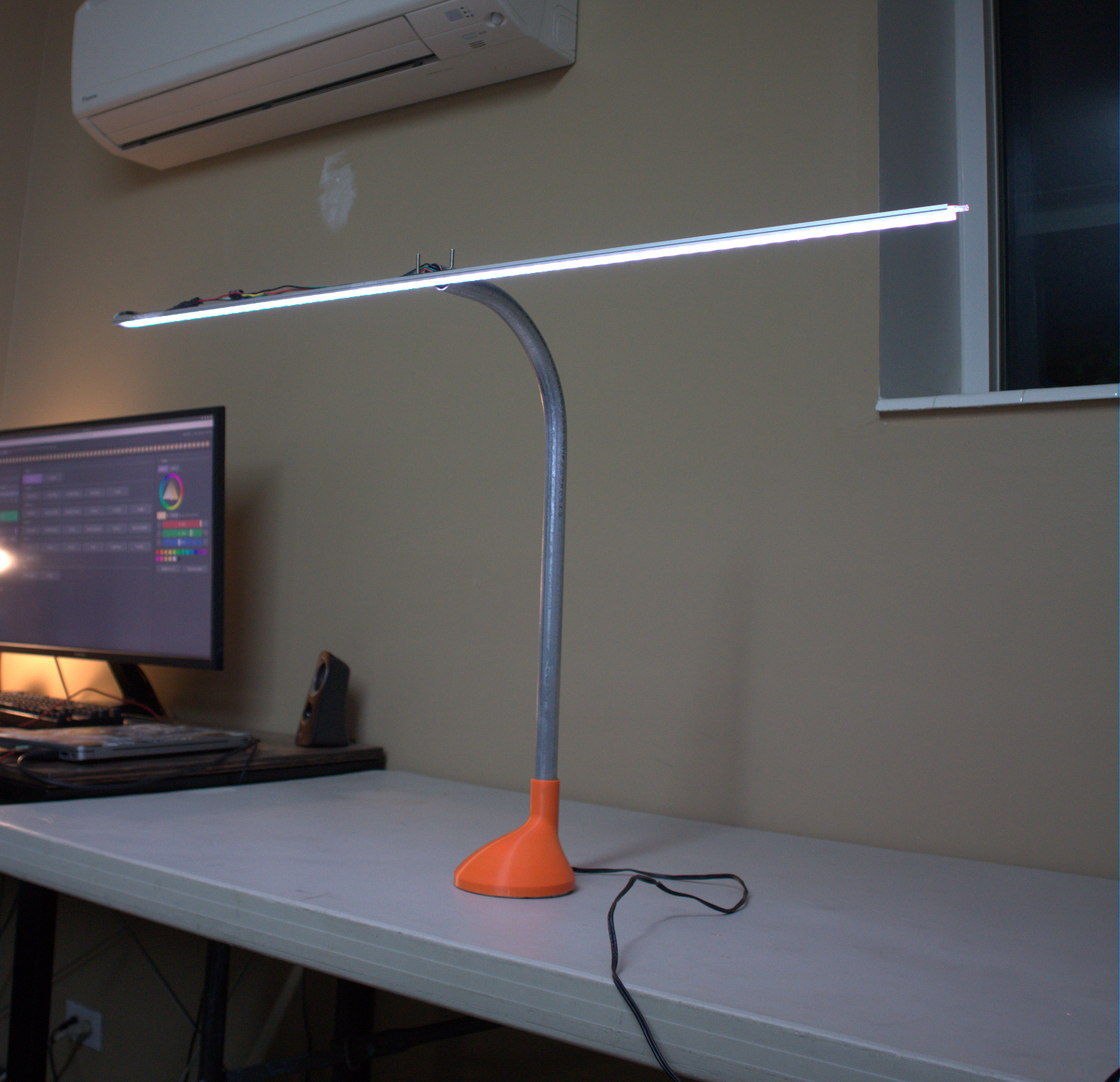
I wanted a lamp that felt like it was built rather than bought: something heavy, made from real material, with lighting I could control down to the individual LED. The result is a 4.5-inch disc of half-inch steel plate, a welded conduit neck, and an ESP32 that drives a 60-LED WS2812B strip.
The software is split in an unusual way. The ESP32 runs a deliberately simple receiver, and every lighting pattern is generated on my PC and streamed to the lamp over the network. Adding a new effect means writing a C++ class on the desktop, never reflashing the microcontroller.
The build
Base and neck
The base started as half-inch steel plate, which I cut into a 4.5-inch circle and cleaned up so it sits flat. The neck is a length of conduit welded to the top of the plate. At that thickness the plate is a big heat sink compared with the thin-wall conduit, so the weld is a balancing act: enough heat to wet into the plate without blowing through the tube.
Mounting the electronics
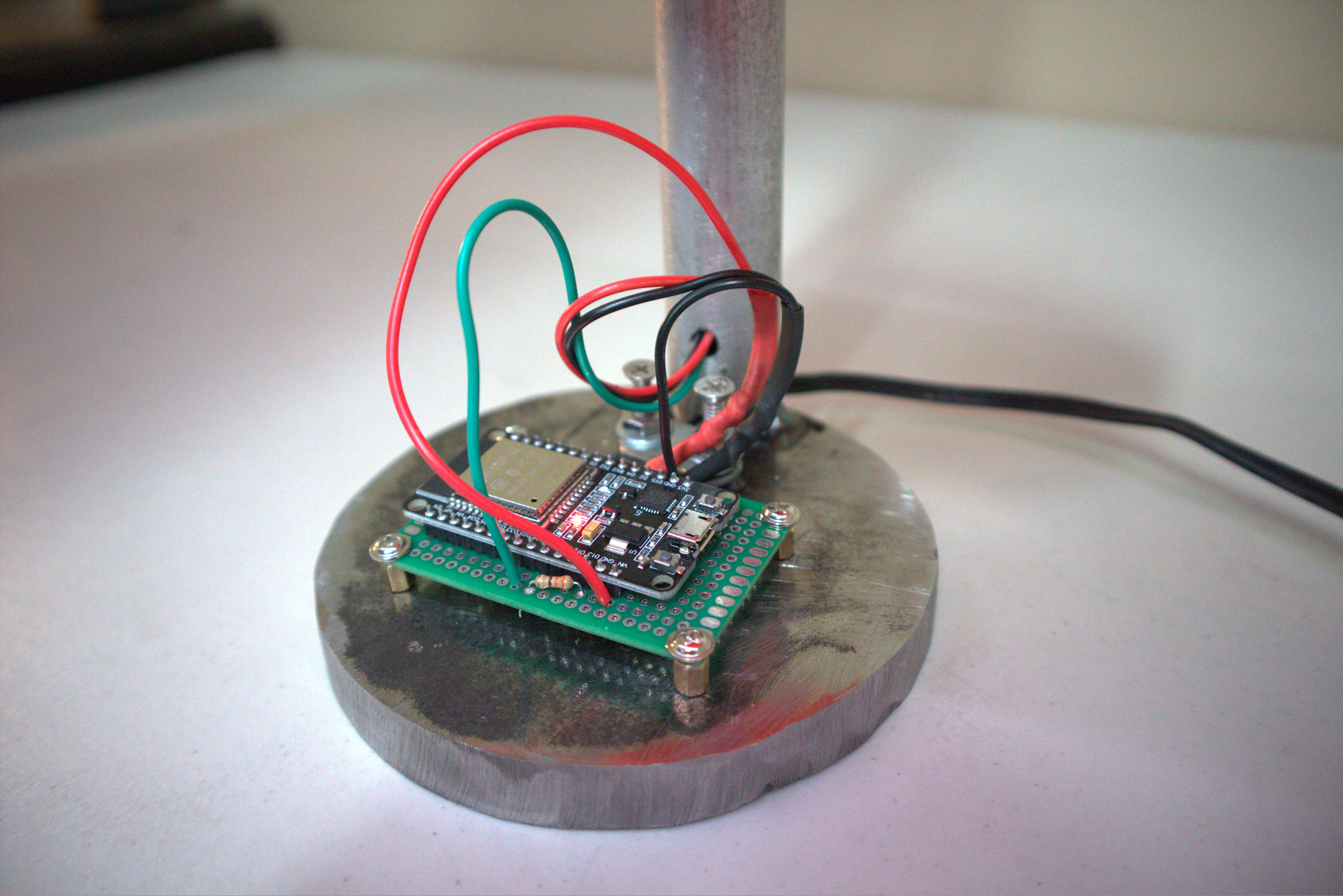
I drilled the plate and installed standoffs, then mounted a protoboard carrying the ESP32 on top of them. Standing the board off the steel keeps the solder joints from shorting to the base and leaves room for wiring underneath. Everything is enclosed in a 3D-printed housing, so no electronics are exposed.
Electronics
The strip is a BTF-LIGHTING WS2812B, one meter long with 60 LEDs, running at 5 V. Each LED can pull about 60 mA at full white, so the whole strip can draw close to 3.6 A. That shaped the wiring more than anything else.
| Connection | Goes to | Why |
|---|---|---|
| Strip 5 V | 5 V supply (+) | The ESP32's regulator can't supply several amps |
| Strip GND | Supply (−) and ESP32 GND | Data needs a shared ground reference |
| Strip DIN | GPIO 13 through ~330 Ω | Damps ringing on the data line |
| 1000 µF capacitor | Across the strip's power | Absorbs the inrush when the strip turns on |
The firmware also enforces a software current limit: FastLED scales brightness down whenever a frame would draw more than a set budget (2 A by default). That protects the supply even if I send a full-white frame by accident.
Software
A deliberately "dumb" receiver
The ESP32 does three things: joins Wi-Fi, listens for pixel frames, and answers discovery pings. It doesn't know what a rainbow or a fire effect is. It just copies RGB values onto the strip. Keeping all the logic on the PC means the firmware has almost nothing that can go wrong, and I iterate on effects at desktop speed.
The protocol
Everything runs over UDP on port 4210. UDP fits because a dropped frame doesn't matter: another arrives 16 ms later. If several frames queue up, the firmware drains them all and shows only the newest, so the lamp never lags behind the app.
| Message | Direction | Format |
|---|---|---|
| Frame | PC → ESP32 | PXL1, 2-byte LED count, then R, G, B per LED |
| Discover | PC → ESP32 | PXLDISCOVER, sent directly or broadcast |
| Reply | ESP32 → PC | PXLHERE <num_leds> <name> |
The desktop app
The controller is a C++ app built with Dear ImGui. It scans the network to find the lamp automatically, then renders effects at 60 FPS and streams them out. It has 28 effects across categories, from calm ones like breathing and color fade to simulations like fire, aurora, ocean, lightning, and bouncing balls. It also has a color wheel with hex entry and fine-tune sliders, brightness, speed and intensity controls, and a live preview of the strip. A running estimate of current draw sits at the bottom of the window. Settings save automatically between sessions.
Moving all the effect logic off the microcontroller was the best decision in the project. The firmware hasn't needed a change since, and a new effect is one small C++ class.
Code
The heart of the firmware: drain every waiting packet, keep only the newest frame, and answer discovery requests along the way.
bool gotFrame = false;
// Drain every waiting packet; only the newest frame gets displayed.
while (udp.parsePacket() > 0) {
  int len = udp.read(packet, sizeof(packet));

  if (len >= 6 && memcmp(packet, "PXL1", 4) == 0) {
    int count = (packet[4] << 8) | packet[5];
    count = min(count, NUM_LEDS);
    count = min(count, (len - 6) / 3);
    for (int i = 0; i < count; i++) {
      const uint8_t* p = packet + 6 + i * 3;
      leds[i].setRGB(p[0], p[1], p[2]);
    }
    gotFrame = true;
    lastFrameMs = millis();
  }
  else if (len >= 11 && memcmp(packet, "PXLDISCOVER", 11) == 0) {
    char reply[80];
    int n = snprintf(reply, sizeof(reply), "PXLHERE %d %s", NUM_LEDS, DEVICE_NAME);
    udp.beginPacket(udp.remoteIP(), udp.remotePort());
    udp.write((const uint8_t*)reply, n);
    udp.endPacket();
  }
}

if (gotFrame) FastLED.show();
The full repository has the firmware, the desktop controller, and instructions for flashing and building both.
What I learned
- Put the complexity where it's cheapest to change. A PC is far easier to iterate on than a microcontroller.
- Budget power before you pick a supply. An LED strip that looks small can still pull several amps.
- Turning off Wi-Fi power-saving on the ESP32 made a visible difference to streaming smoothness.
Next: [a dimmer knob on the base, a second lamp, or music-reactive effects].